Remote Inspections
Key rules:
- You can only book inspections for your own trade.
- Remote inspections are available for PPP construction partners for both PPP consent and standard consents.
- Inspection processing time stays the same for all partner levels.
Booking a remote inspection
Only approved PPP construction partners can book remote inspections.
- You must:
- Be listed as the project manager or trade on the original application to join the PPP.
- Keep your details up to date (contact us if anything changes).
How to book
- Book a remote inspection as normal.
- Use your 3 digit PPP number.
- Clearly request a remote inspection.
What to provide for a remote inspection
Upload within 24 hours of completing the work being inspected, and before the booked inspection date.
- A completed remote inspection statement (all sections and required measurements completed).
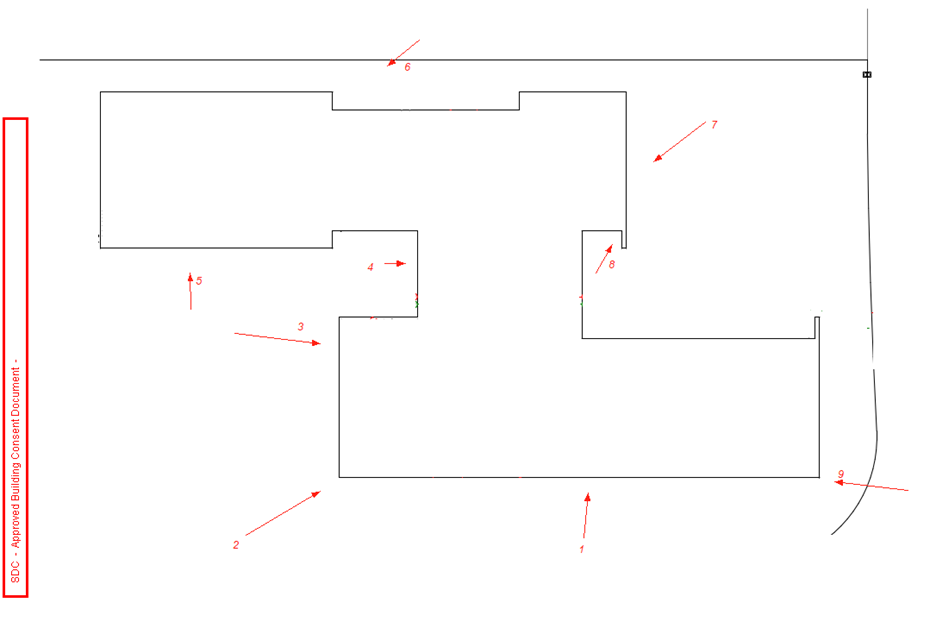
- A marked-up consented plan (showing details of where photos were taken).
- Photos and supporting information.
Upload requirements
- Combine all documents into one PDF.
- Upload to the customer portal under: Required documents » Miscellaneous.
If fixing previously failed work
- Upload photos and documents separately.
- Use the correct location in the customer portal.
- These will be checked during the inspection.
How remote inspections work
- An inspector reviews your documents and photos.
- They may contact you if they need more information.
- You’ll receive a standard inspection report with:
- Pass/fail result.
- Items that need to be fixed (if any).
Continuing work
- If you keep working before receiving the inspection result, it is at your own risk.
- If the inspection fails, you may need to:
- reopen work, or
- expose completed work.